› App Preview
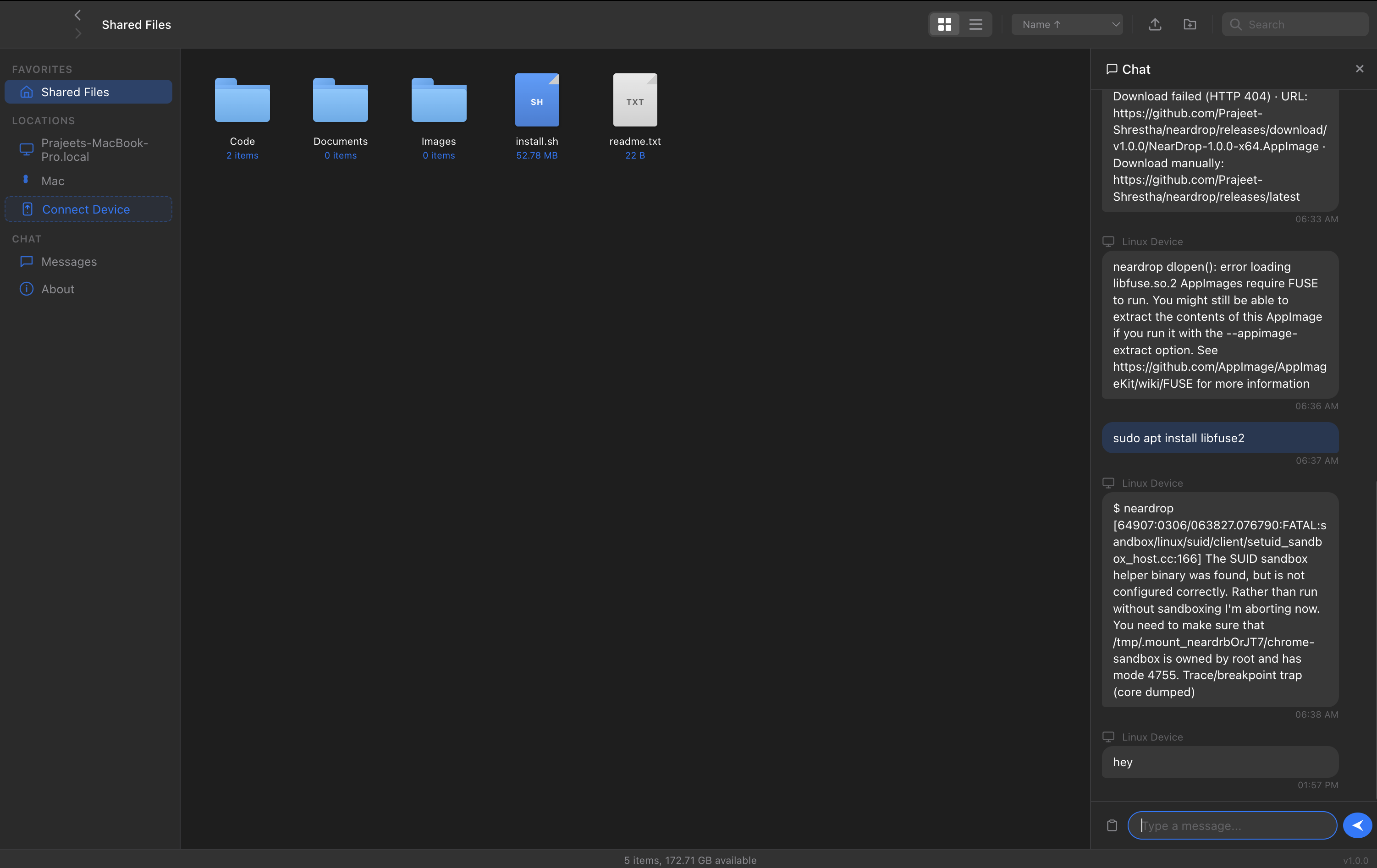
A Finder-inspired desktop app with real-time chat and instant device pairing.
File Browser + Chat
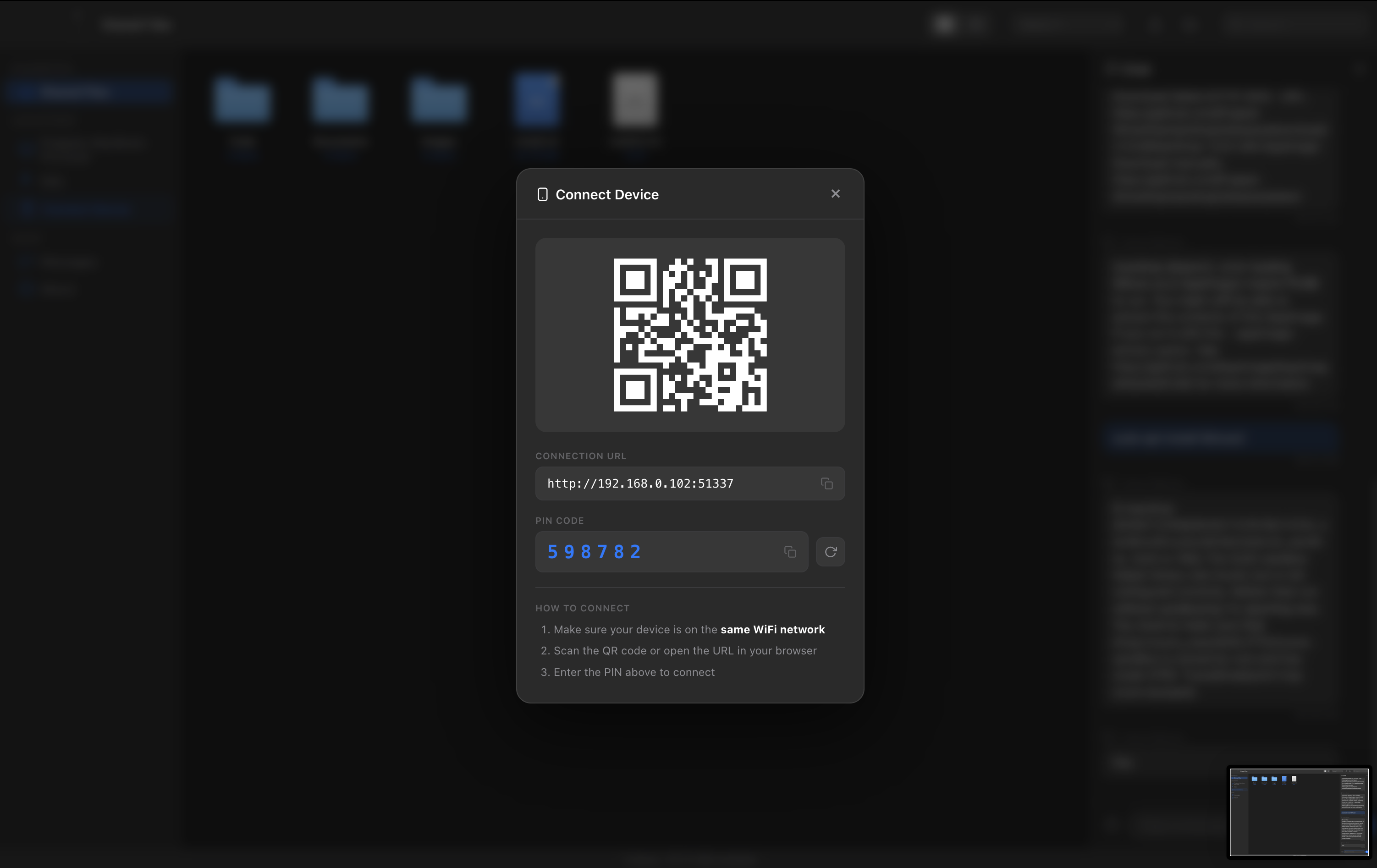
QR Code Connect
Transfer between Mac, Windows, and Linux on the same WiFi. Just open the app — no sign-ups, everything stays local.
Everything stays on your local network. No cloud servers, no tracking, no data leaves your WiFi.
MIT licensed. Read the code, fork it, extend it, build something even better.
Direct LAN transfer at full network speed. No upload limits, no compression, no waiting.
Run the app, connect devices via any browser, and start sharing files; no installs, no accounts, no sign-ups.
A Finder-inspired desktop app with real-time chat and instant device pairing.
Everything you need for fast, private file sharing on your local network.
Finder-style icon and list views with sort, search, and breadcrumb navigation.
Drop files or folders right into the browser. Upload progress tracking built in.
Instant messaging between all connected devices via WebSocket.
Scan from your phone to connect instantly. No app install needed.
Auto-generated 6-digit PIN. No accounts, no passwords to remember.
Auto-generates self-signed certificates. Your files stay on your network.